
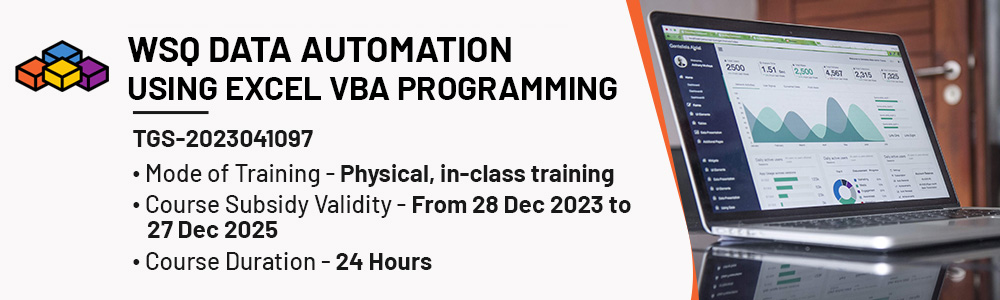
Physical Training Available, Fundings Applicable.
WSQ Data Automation Using Excel VBA Programming Course in Singapore
Learn WSQ data automation techniques using Excel VBA programming in just a few steps. Enhance productivity and efficiency with powerful automation tools!
Who Should Attend This WSQ Data Automation Using Excel VBA Programming
We are glad to inform that we have this WSQ Data Automation Using Excel VBA Programming certified course with upto 70% funding.

Training Professionals

Business professionals

Entrepreneur

Students
Why Choose Us
- Hands-On Exercises
- Attention to each participants
- Interactive Class
- Step-By-Step Course
- 100% Satisfactory Record
- Trained more than 10000 Participants
- 20 Year Experienced Trainer
WSQ Data Automation Using Excel VBA Programming in Singapore
Visual Basic for Applications or VBA refers to the development environment that is built into the Microsoft Office suite of products.
This Excel VBA course is for anyone looking to leverage the power of VBA to work more efficiently with Microsoft Office applications, particularly Excel, in both personal and professional contexts. Target audiences for this course include:
- Professionals involved in data analysis, modelling, and reporting within their organizations.
- Data Analysts who work with data on a regular basis and want to automate data manipulation and reporting tasks in Excel.
- Finance professionals who rely on Excel for financial modelling, forecasting, and data analysis.
- Accountants and finance professionals who use Excel for financial reporting and analysis.
- Administrative staff who manage data, records, and reports using Excel.
- Project managers who use Excel for project planning, tracking, and reporting.
- Programmers and software developers interested in learning VBA for Office applications.
- Individuals who use Microsoft Excel regularly for tasks such as data analysis, reporting, budgeting, or project managementThe objective of this course is to enable learners to develop technical capabilities to understand, design and write instructions to be processed by computers as software programmes to achieve desired outcomes using the Excel Visual Basic for Applications (VBA).
What Will You Learn WSQ Data Automation Using Excel VBA Programming
- Learners are able to analyse and translate business requirements of Visual Basic for Applications (VBA) into multiple functions for business requirement and objectives
- Learners are able to write programmes and codes with the Visual Basic for Applications (VBA) algorithm and data structures which aligned with business requirements
- Learners are able to draft coding frameworks as practical guides for organising programming and coding languages aligning to logic and styles
- Learners are able to formulate code solutions in accordance with code management approaches using programming languages
- Learners are able to incorporate appropriate improvements and make relevant corrections to pro-grammes and codes to achieve desired outcomes in gathering user input
- Learners are able to select appropriate programming languages in Visual Basic for Applications (VBA) for business use cases by applying scripting approaches
- Learners are able to document programming and coding updates and changes for business and technical professionals with Visual Basic for Applications (VBA) codes, systems and platform layouts in accordance with organisation’s strategic objectives and processes
- Learners are able to test and debug codes to ensure workability of Visual Basic for Applications (VBA)
- Learners are able to assess written codes in Visual Basic for Applications (VBA) using problem-solving and error-handling techniques to address errors and gaps for subsequent resolution
WSQ VBA Excel Course Outline
Module One: Create And Manage Worksheets And Workbooks
Lesson 1. Visual Basic for Applications (VBA) for Office (1.5 Hrs)
- 1.1 Recognizing the need and uses for VBA applications (K2)
- 1.2 Get Started with Visual Basic for Applications (K2)
- 1.3 Displaying the Developer Tab in the Ribbon (A1)
- 1.4 Understanding the Development Environment (A1)
- 1.5 Understanding Macro Security (A1)
Lesson 3. Understanding objects, methods, properties, and events (3 Hrs)
- 3.1 Understanding and Navigating Excel Object Hierarchy (K1)
- 3.2 Understanding Collections (K1)
- 3.3 Using the Object Browser (K1)
- 3.4 Working with Properties (K1)
- 3.5 Using the “WITH” Statement (A3)
- 3.6 Working with VBA Methods (A3)
- 3.7 Creating an Event Procedure (A3)
Lesson 5. Controlling Program Execution (4 Hrs)
- 5.1 Understanding Control-of-Flow Structures (K5)
- 5.2 Working with Boolean Expressions (K5)
- 5.3 Using the If…End If Decision Structures (A4)
- 5.4 Using the Select Case…End Select Structure (A4)
- 5.5 Using the Do…Loop Structure (A4)
- 5.6 Using the For…To…Next Structure (A4)
- 5.7 Using the For Each…Next Structure Guidelines for use of Control-of-Flow Structures (A4)
Lesson 7. Gathering User input (2 Hrs)
- 7.1 Gathering user input Using dialog boxes (A8)
Lesson 9. Handling Errors (1.5 Hrs)
- 9.1 Understanding Error Handling (K3)
- 9.2 Understanding VBA’s Error Trapping Options (K3)
- 9.3 Trapping Errors with the On Error Statement (K3)
- 9.54 Writing an Error-Handling Routine (A6)
Lesson 2. Working with Procedures and Functions (2 Hrs)
- 2.1 Understanding Modules (K4)
- 2.2 Understanding Procedures (K4)
- 2.3 Sub Procedure (K4)
- 2.4 Creating a Function Procedure (A2)
- 2.5 Naming Procedures (A2)
- 2.6 Working with the Code Editor (A2)
Lesson 4. Using Expressions, Variables, and Intrinsic Functions (3.5 Hrs)
- 4.1 Understanding Expressions, Statements and Declaring Variables (K6)
- 4.2 Understanding Data Types (K6)
- 4.3 Working with Variable Scope (K6)
- 4.4 Using Intrinsic Functions (A5)
- 4.5 Using Intrinsic Constants (A5)
- 4.7 Declaring and Using Object Variables (A5)
Lesson 6. Working with Forms and Controls (3 Hrs)
- 6.1 Understanding UserForms (K7)
- 6.2 Using the Toolbox (K7)
- 6.3 Working with UserForm Properties, Events, and Methods (K7)
- 6.4 Understanding Controls (K7)
- 6.5 Setting Control Properties in the Properties Window (K7)
- 6.6 Working with the Controls (A9)
- Label Control
- Text Box Control
- Command Button Control
- Combo Box Control
- Frame Control
- Option Button Controls
- Control Appearance
- Setting the Tab Order
- 6.7 Populating a Control (A9)
- Adding Code to Controls
- Launching a Form in Code
Lesson 8. Debugging Code (1.5 Hrs)
- 8.1 Understanding Errors (A7)
- 8.2 Using Debugging Tools (A7)
- 8.3 Setting Breakpoints (A7)
- 8.4 Stepping through Code (A7)
- 8.5 Using Break Mode during Run mode (A7)
- 8.6 Determining the Value of Expressions (A7)
Training fee:
*Course fee before WSQ funding: $795.00/pax + 9% GST. GST rate will be applied for all registration made after 31st December 2023
WSQ Funding: (GST included)
*The funding amount mentioned is indicative and will be confirmed upon registration.
|
Course Fee Subsidies for SMEs |
SINGAPORE CITIZENS AND PRS ≥ 21 |
|
|
70% of Course Fees |
||
|
WSQ Deductible: $556.5 Payable: $310.05 (including GST) |
||
|
Passing Exam & Full Attendance required |
||
|
Course Fee Subsidies for Non-SMEs |
SINGAPORE CITIZENS ≥ 40 |
SINGAPORE CITIZENS < 40 AND PRS |
|
70% of Course Fees |
50% of Course Fees |
|
|
WSQ Deductible: $556.5 Payable: $310.05 (including GST) |
WSQ deductible: $397.5 Payable $469.05 (including GST) |
|
|
Passing Exam & Full Attendance required |
||
|
Course Fee Subsidies for Self-sponsored Individuals |
SINGAPORE CITIZENS ≥ 40 |
21⩽SINGAPORE CITIZENS < 40 AND 21 ⩽PRS |
|
70% of Course Fees |
50% of Course Fees |
|
|
WSQ Deductible: $556.5 Payable: $310.05 (including GST) (Can be offset by Skillsfuture credits if have) |
WSQ deductible: $397.5 Payable $469.05 (including GST) (Can be offset by Skillsfuture credits if have) |
|
|
Passing Exam & Full Attendance required |
||
Kindly note that you are required to achieve a minimum of 75% attendance and be certified competent in all the assessment components. Should you fail to meet the attendance/assessment requirements and/or terms and conditions of SSG's funding, you will not be eligible for the course fee funding and will have to bear the full course fees.
Discount policy:
- 4 pax from the same group: 5% discount for each person
- 5 pax from the same group: 10% discount for each person
Assessment Plan:
- Written Assessment – Short Answer Question (WA-SAQ): 1 hour
- Practical Performance: 1 Hour
- Kindly help us process via Quiz
Frequently Asked Questions (FAQ).
What is the WSQ Data Automation Using Excel VBA Programming Course in Singapore?
This course teaches you how to automate repetitive Excel tasks using Visual Basic for Applications (VBA). You will learn to write programmes and codes using VBA algorithms and data structures, create procedures and functions, build UserForms, and apply debugging and error-handling techniques to achieve desired automation outcomes.
Who should attend this course?
Data analysts, finance professionals, accountants, administrators, project managers, developers, and regular Excel users who want to automate tasks with VBA.
What will I learn in this course?
You'll learn to write VBA code, create procedures and functions, build UserForms with controls, apply control-of-flow structures, gather user input, and use debugging and error-handling techniques to automate Excel tasks.
Will I learn VBA programming fundamentals?
Yes. The course covers VBA programming concepts including variables, data types, constants, intrinsic functions, expressions, statements, and object variables.
Will I learn how to create procedures and functions in VBA?
Yes. You will learn to create Sub Procedures and Function Procedures, understand modules, name procedures correctly, and work with the Visual Basic Editor (VBE) and Code Editor.
Does the course cover Excel object hierarchy and properties?
Yes. You will learn to navigate the Excel Object Hierarchy, work with collections, use the object browser, work with properties and methods, create event procedures, and use the “WITH" statement.
Will I learn control-of-flow structures?
Yes. The course covers Boolean expressions, If…End If structures, Select Case…End Select, Do…Loop, For…To…Next, and For Each…Next structures.
Does the course cover UserForms and controls?
Yes. You will learn to create UserForms, work with the Toolbox, set control properties, and use controls including Label, Text Box, Command Button, Combo Box, Frame, and Option Button. You will also learn to populate controls, add code to controls, and launch forms in code.
Will I learn how to gather user input?
Yes. The course covers gathering user input using dialog boxes as part of VBA automation.
Does the course cover debugging and error handling?
Yes. You will learn debugging tools, setting breakpoints, stepping through code, using Break Mode, determining expression values, and error-handling routines using the On Error statement.
Will I receive a certificate upon completion?
Learners who successfully complete the course and meet the assessment requirements will receive the relevant WSQ certification or Statement of Attainment.
Is this course SkillsFuture eligible?
Yes. This is a WSQ-certified course eligible for SkillsFuture funding, PSEA, SkillsFuture Enterprise Credit (SFEC), and Absentee Payroll support. Funding of up to 70% is available subject to eligibility criteria.
How do I enroll in this course?
You can register through the enrollment process on the course page. Course schedules and registration details are provided online.
Are there any entry requirements?
Specific entry or assessment requirements are stated on the course page. Learners are encouraged to review the course details before registration.
Who should attend the WSQ Data Automation using Excel VBA Course in Singapore?
This course is suitable for learners who are already familiar with Microsoft Excel and want to automate spreadsheet tasks using VBA and macros.
What will I learn in the WSQ Data Automation using Excel VBA Course in Singapore?
Learners will learn VBA fundamentals, macro recording, VBA programming concepts, procedures, functions, variables, control structures, UserForms, debugging, and error handling techniques.
What VBA programming concepts will I learn in the WSQ Data Automation using Excel VBA Course in Singapore?
The course covers VBA programming fundamentals, including variables, data types, constants, procedures, functions, VBA modules, and code structures used to automate tasks in Microsoft Excel.
Will I learn how to create and manage VBA applications in Excel?
Yes. Learners will work with the Visual Basic Editor (VBE), create Sub Procedures and function procedures, manage VBA modules, and develop UserForms using controls, properties, events, and methods.
Does the course cover VBA debugging and error handling techniques?
Yes. The course covers debugging tools, breakpoints, code testing, error handling techniques, the On Error statement, and methods for identifying and resolving VBA runtime errors.
Will I receive a certificate after completing the WSQ Data Automation using Excel VBA Course in Singapore?
Learners who successfully complete the course and meet the assessment requirements will receive the relevant certification or Statement of Attainment as stated on the course page.
Is the WSQ Data Automation using Excel VBA Course in Singapore SkillsFuture eligible?
Funding and SkillsFuture eligibility are subject to the latest course funding information published on the course page. Learners should review the current eligibility requirements before registration.
How do I apply for the WSQ Data Automation using Excel VBA Course in Singapore?
Learners can register through the course enrolment process available on the course page. Course schedules and registration details are provided online.
Are there any entry requirements for the WSQ Data Automation using Excel VBA Course in Singapore?
Learners should review the course prerequisites listed on the course page before registration. The course is intended for individuals who already have experience using Microsoft Excel.
 +65 8421 2824
 info@exceltraining.com.sg


 Chat With Us