
Physical Training Available
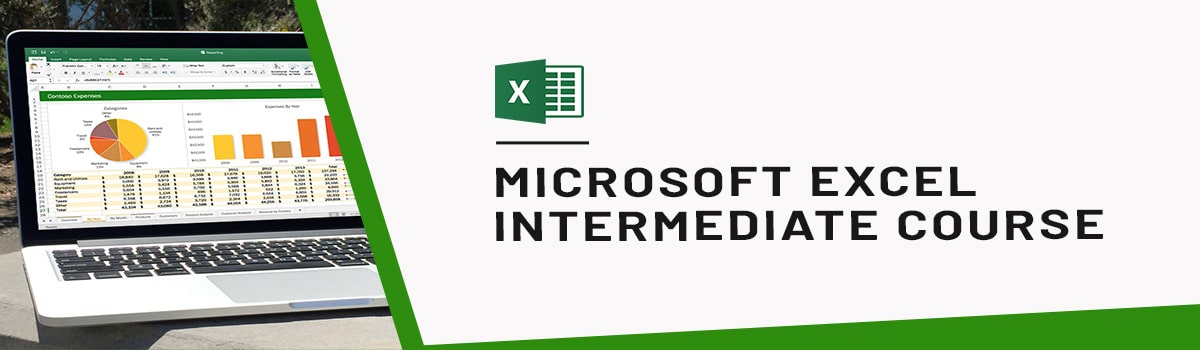
Learn Microsoft Excel Intermediate Training Course
Intermediate Excel Course: Learn Advanced Features, Functions and Commonly Used Formulas of Microsoft Excel.
UTAP
Union Training Assistance Programme

Who Should Attend This Intermediate Excel Training Singapore
Intermediate excel training is ideal for students, and professionals.

Training Professionals

Business professionals

Entrepreneur

Students
Why Choose Us
- Hands-On Exercises
- Attention to each participants
- Interactive Class
- Step-By-Step Course
- 100% Satisfactory Record
- Trained more than 10000 Participants
- 20 Year Experienced Trainer
Microsoft Excel Intermediate Training Course
Microsoft Excel Intermediate Course is a 1-day training focusing on Advanced Features, Functions and Commonly Used Formulas of Microsoft Excel.
Specifically, this Intermediate Excel Training helps participants to learn –
- How to create Pivot Table
- How to create Chart
- How to Sort and Filter Data
- How to use Functions
This is hands-on Excel training where you will be working on exercises of each topic.
Prerequisites:
Students should have basic knowledge of Microsoft Office Excel, including but not limited to how to create, edit, format, and print worksheets as well as insert and use basic formulas (like sum, autosum).
Intermediate Excel Training Benefits
- Enhanced Productivity- Streamline workflows and save time with advanced techniques.
- Increased Accuracy- Ensure error-free spreadsheets with data validation and error checking.
- Effective Data Analysis- Extract meaningful insights with PivotTables and statistical functions.
- Professional Presentation- Create polished reports and presentations with advanced formatting.
- Confidence in Complex Tasks- Tackle challenging projects confidently with advanced Excel skills.
We also offer training courses for Excel 2013 and Excel 2010. If you need to build skills beyond this course, you can explore our Excel Training courses in Singapore, with options for different Excel versions and skill levels.
Intermediate Excel Course Outlines
Level: Intermediate (1-day, 9:30-5:30)
Lesson 1: Working with Functions
- Topic A: Work with Ranges
- Topic B: Use Specialized Functions
- Topic C: Work with Logical Functions
- Topic D: Work with Date and Time Functions
- Topic E: Work with Text Functions
Lesson 2: Working with Lists
- Topic A: Sort Data
- Topic B: Filter Data
- Topic C: Query Data with Database Functions
- Topic D: Outline and Subtotal Data
Lesson 3: Analyzing Data
- Topic A: Create and Modify Tables
- Topic B: Apply Intermediate Conditional Formatting
- Topic C: Apply Advanced Conditional Formatting
Lesson 4: Visualizing Data with Charts
- Topic A: Create Charts
- Topic B: Modify and Format Charts
- Topic C: Use Advanced Chart Features
Lesson 5: Using PivotTables and PivotCharts
- Topic A: Create a PivotTable
- Topic B: Analyze PivotTable Data
- Topic C: Present Data with PivotCharts
- Topic D: Filter Data by Using Timelines and Slicers
Frequently Asked Questions (FAQ).
What is the intermediate Excel Course in Singapore?
This course teaches intermediate Microsoft Excel skills, including working with ranges, specialised functions (logical, date/time, text), sorting and filtering data, database functions, tables, conditional formatting, charts, and PivotTables with PivotCharts.
Who should attend this Intermediate Excel course?
This course is designed for students and professionals who have basic Excel knowledge and want to develop intermediate-level spreadsheet skills. You should already know how to create, edit, format, and print worksheets, as well as insert basic formulas like SUM and AutoSum.
What will I learn in the Intermediate Excel course?
You will learn to:
- Work with ranges and specialized functions (logical, date/time, text)
- Sort, filter, and query data with database functions
- Outline and subtotal data
- Create and modify tables
- Apply intermediate and advanced conditional formatting
- Create, modify, and format charts using advanced chart features
- Create and analyze PivotTables
- Present data with PivotCharts
- Filter data using timelines and slicers
Does the course cover Excel formulas and functions?
Yes. You will work with specialized functions, logical functions, date and time functions, and text functions for calculations and data analysis.
Will I learn how to sort and filter data?
Yes. The course covers sorting data, filtering data, querying data with database functions, and outlining and subtotaling data.
Will I learn how to work with charts?
Yes. You will learn how to enter cell data, insert and adjust cells, columns, and rows, search for and replace data, and use proofing and research tools.
Does the intermediate Excel course cover PivotTables?
Yes. You will learn to create and analyze PivotTables, present data with PivotCharts, and filter data using timelines and slicers.
Will I learn conditional formatting?
Yes. The course covers applying intermediate and advanced conditional formatting to worksheets.
What are the prerequisites?
You should have basic knowledge of Microsoft Office Excel, including how to create, edit, format, and print worksheets, as well as insert and use basic formulas like SUM and AutoSum.
How do I enroll in this intermediate Excel course?
You can register through the enrollment process on the course page. Course schedules and registration details are provided online.
Are there any entry requirements?
Learners are encouraged to review the course requirements and prerequisites provided on the course page before registration.
 +65 8421 2824
 info@exceltraining.com.sg


 Chat With Us