
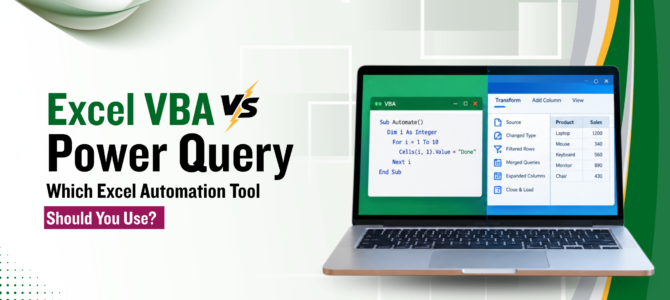
'Excel VBA vs Power Query' is a common question, because both can automate Excel tasks, and people often treat them as rivals. They were built for different jobs. Power Query is mainly for importing, cleaning and transforming data. Excel VBA controls Excel itself: workbooks, formatting, reports, buttons and the steps that follow once the data is ready.
Neither tool is better in every case. The right choice depends on the task in front of you, and some tasks need both. This article compares the two Excel automation tools by purpose, common tasks and limits.
What Is Power Query?
Power Query in Excel helps you bring data in, clean it, reshape it and load the result into a worksheet or the Data Model. It is found under Get & Transform Data on the Data tab. You connect to a source, shape the data in a preview window, and load the result. Power Query is mainly used to prepare and transform data before analysis. If you also want to learn how prepared data can be modelled and analysed in Excel, you can explore Excel Power Pivot training.
It handles the stage before analysis, which makes it the main tool for Excel data transformation:
- Importing data from Excel files, CSV files, folders, databases and web sources
- Removing columns, filtering rows, splitting text and changing data types
- Unpivoting columns and merging or appending tables
- Combining every file in a folder into one table
Each action is saved as an applied step. When the source data changes, a refresh replays the same steps on the new data, which is the basis of Power Query automation. Most of this work needs no code, and the M language is there for cases the menus do not cover.
Excel VBA vs Power Query: Key Differences
The main difference is purpose. VBA automates actions inside Excel and other Office programs, and Power Query prepares data by importing, cleaning and reshaping it. VBA runs when something triggers it, such as a button or an event. Power Query runs its saved steps when the data is refreshed.
The difference matters because of how each tool remembers its work. Power Query data cleaning is recorded as a visible list of steps, so anyone can open the query and see what happened to the data. VBA vs Power Query in this respect comes down to visibility: VBA can transform data too, but the logic sits in code, and it can be combined with other workbook actions in the same macro.
VBA vs Power Query for Common Excel Tasks
Cleaning and Transforming Data
Power Query for data transformation suits this task well. Trimming spaces, changing data types, splitting columns and unpivoting are built-in options, and the applied steps list shows exactly what was done.
VBA can do the same work, but each rule becomes code that someone has to write, test and maintain. It is useful when a cleaning rule depends on something outside the data, such as a value the user types into a cell.
Combining Multiple Excel Files
Suppose 20 CSV files arrive every month and need to become one table. Power Query can read the whole folder and stack the files, provided they share the same column layout. New files placed in the folder are included on the next refresh.
VBA Excel automation can open each file, copy its rows and close it in a loop. That gives full control over which files are read or skipped, but it means more code, and a change in the source files is more likely to cause a failure.
Automating Monthly Reports
Excel report automation has two kinds of work. One is preparing the data. The other is producing the report: refreshing PivotTables, formatting, exporting a PDF and sending an email. Power Query is designed for the first kind. VBA can handle the second kind and can also do the first, with more effort.
Formatting and Repetitive Excel Actions
This is where VBA fits best. Applying number formats, setting print areas, creating a sheet for each department, adding a button or repeating an action across many workbooks are all workbook-level actions. Power Query is not designed to control these, because its role is preparing and transforming data. If you are new to VBA, start with this guide to Excel VBA and macros before moving into more advanced automation.
Can VBA and Power Query Work Together?
Yes. Power Query can prepare the data, and a macro can handle the workbook steps that come after it. This works best when data preparation and workbook actions are separate needs, and it is a common pattern for Excel data automation.
Take a sales team that receives raw files every month. The flow could look like this:
Source files → Power Query cleans and combines the data → the table loads into Excel → a macro refreshes the PivotTables, formats the report, exports it and sends it
One timing issue is worth considering. Queries can refresh in the background, so a macro may move to the next step before the new data has arrived. Turning off background refresh for that query, or making the macro wait for the refresh to finish, avoids the problem.
When Should You Use Power Query?
Power Query vs VBA is easy to settle when the data is the main challenge. Power Query is worth considering when:
- The same files arrive every week or month and need combining
- Columns need removing, renaming, splitting or retyping each time
- Tables from different sources need merging
- The result should update with one refresh, with no code to maintain
When Should You Use VBA?
VBA is worth considering when Excel itself has to do something. The VBA Excel automation route makes sense when:
- A task has many steps that must run in a fixed order, across sheets or workbooks
The output needs formatting, saving, exporting or emailing - Users need a button, an input box or a simple form
- Code should react to an event, such as a file opening
VBA or Power Query: Which One Should You Learn First?
Start with the tool that matches the work you do most. Someone who spends hours cleaning and combining data will see results sooner with Power Query. Someone who spends hours formatting and distributing reports will get more from VBA.
Power Query can be easier to start with for people whose work mainly involves importing and transforming data. VBA requires learning programming concepts such as variables, loops and conditions.
Those who want a guided route for the data side can learn Power Query in Excel through a hands-on course. For anything beyond basic macros, a VBA Excel course with an instructor goes deeper into the coding side.
Can You Replace VBA With Power Query?
Only for some tasks. Power Query can replace VBA in data import and transformation, such as combining files or cleaning columns. It does not control the workbook, so formatting a sheet, exporting a PDF or adding a button still needs VBA or another automation tool.
Can You Replace Power Query With VBA?
For many tasks, yes, though the workflow and maintenance are different. VBA can import files, clean columns and combine tables. Power Query was designed around repeatable data transformation, so it keeps a visible record of each step and refreshes without a macro. VBA is the better fit when the data logic depends on user input or on actions Power Query cannot perform.
Some tasks need neither tool. Formulas, Excel Tables and PivotTables handle many small jobs, and adding a macro or a query to a simple task creates one more thing to maintain.
Choosing Between the Two
The two tools solve different types of Excel problems. Power Query deals with getting data ready, VBA deals with what happens in the workbook afterwards, and in some workflows they work well together. Once the task is clear, the choice between these Excel automation tools is usually clear too.
Frequently Asked Questions About Excel VBA and Power Query
Is Power Query available in every version of Excel?
Power Query is built into current versions of Excel for Windows, and it is also available in Excel for Mac. Features differ by version and platform, and Excel for the web has limits on what can be created or edited. Checking Microsoft's current documentation for your version is the safest step before building a workflow around it.
Can Power Query refresh data without a macro?
Yes. A query can be set to refresh when the file opens or at a set interval while the file stays open through the query's connection properties. Refreshing when nobody has opened the file needs another tool, such as a scheduled task or Power Automate, depending on where the workbook is stored.
Do I need to learn the M language to use Power Query?
Not for most tasks. The interface writes M code for every step you choose, and that code can be viewed in the Advanced Editor. M becomes useful when a transformation is not available from the menus, or when you want to adjust a step directly.
What happens if a source file changes its layout?
Both tools can be affected. A Power Query refresh usually returns an error when a column it expects is missing or renamed, and the fix is to edit that step in the query. A macro that depends on the old layout may stop or place data in the wrong cells, and the fix is a change in the code.
Is VBA still supported in Excel?
Excel VBA macros are still included in desktop Excel, and macro-enabled workbooks continue to work there. VBA does not run in Excel for the web, and macro security settings can block macros in files received from outside your organisation. Microsoft's documentation is the place to confirm current support for your version.
 +65 8421 2824
 info@exceltraining.com.sg


 Chat With Us