
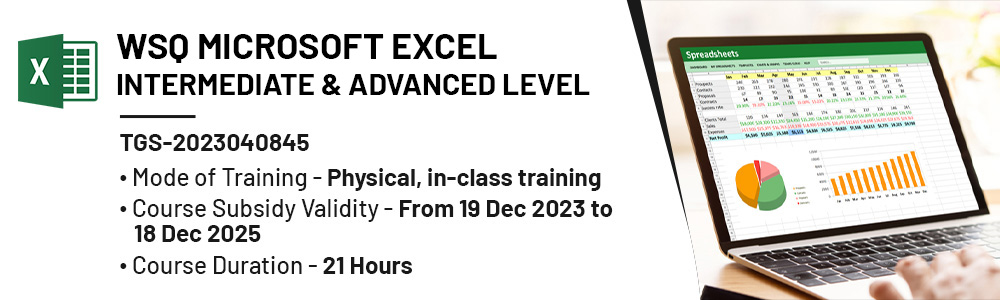
Physical Training Available, Fundings Applicable.
WSQ Microsoft Excel Intermediate & Advanced Course in Singapore
Master advanced Microsoft Excel skills in Singapore with our WSQ Intermediate & Advanced course. Elevate your spreadsheet proficiency, unlock powerful features, and enhance your data analysis capabilities.
Who Should Attend This WSQ Microsoft Excel Intermediate & Advanced
The WSQ Microsoft Excel Intermediate & Advanced is designed for individuals who are new to Microsoft Excel and want to establish a solid foundation in using this spreadsheet software.

Training Professionals

Business professionals

Entrepreneur

Students
WSQ Microsoft Excel – Intermediate & Advanced Level Course in Singapore
This course helps learners develop intermediate and advanced Excel skills for managing complex workbooks, analysing data, creating advanced formulas, and preparing business reports. Topics include workbook management, data validation, advanced filtering, conditional formatting, lookup and logical functions, formula auditing, forecasting, PivotTables, PivotCharts, dashboards, and task automation using macros and VBA.
The course also covers Microsoft Copilot in Excel and how it can support different spreadsheet tasks. Learners will explore Copilot in Excel for explaining formulas, creating and analysing data, improving formatting, generating VBA macros, troubleshooting formula errors, and working with PivotTables and charts. The course also introduces AI-assisted data preparation, workbook analysis, data quality checks, prompting techniques, and responsible use of Copilot in business settings.
WSQ Microsoft Excel Intermediate & Advanced in Singapore
This Microsoft Excel Intermediate & Advanced course is designed for individuals looking to elevate their data analysis skills for more complex business applications using Excel. The course is ideal for:
- Finance professionals involved in financial modeling, forecasting, and data analysis.
- Accountants who use Excel for financial reporting and detailed analysis.
- Administrative staff responsible for managing data, records, and generating reports in Excel.
- Project managers who rely on Excel for project planning, tracking, and reporting.
- Regular Excel users engaged in tasks such as data analysis, reporting, budgeting, or project management.
What Will You Learn from the WSQ Microsoft Excel Intermediate & Advanced Course?
- Learners are equipped to prepare and assist in generating diverse business insight reports, ensuring compliance with legal and ethical data protection guidelines, using principles of data modelling and visualisation.
- Learners can perform complex database queries across multiple tables and unions to extract relevant data, utilising data science techniques.
- Learners are capable of identifying appropriate statistical techniques and machine learning methods to conduct meaningful data analysis on various datasets.
- Learners can assist with data transformation, quality checking, and cleansing, converting datasets into easily digestible formats.
- Learners are able to apply data mining, time series forecasting, and modelling techniques to identify and predict trends and patterns for business insights using applicable programming languages.
- Learners demonstrate an understanding of the underlying data structures in data science and can summarise data studies for business insights presentations.
-
Learners are introduced to Microsoft Copilot in Excel and can use Copilot to support formula creation, data analysis, workbook review, and other advanced spreadsheet tasks.
- Learners recognise the importance of domain context in data science, enabling them to produce performance dashboards and insight reports tailored to specific business domains.
NTUC Members' Benefit
Complete this eligible AI course and you may qualify for subscription fee support for selected AI tools under the NTUC AI Tools initiative (available from 1 May 2026 to 30 April 2028), subject to NTUC's eligibility criteria and approval.
Contact us to learn more about eligible courses and how to apply.
WSQ Microsoft Excel – Intermediate & Advanced Level Course Outline
Module 1: Managing Workbook Options and Settings
Data Models and Data Validation
- Business Visualisations
- Importance of Data Visualisation
- Types of Business Visualisations
- Excel Visualisation Tools
Workbook Management
- Referencing Data Across Worksheets & Workbooks
- Working with 3D References
- Using Copilot to Explain and Generate References
Business Visualisations
- Importance of Data Visualisation
- Types of Business Visualisations
- Excel Visualisation Tools
Workbook Security and Protection
- Formula Calculation Options
- Restricting Editing Access
- Worksheet & Workbook Structure Protection
- Password Protection and Encryption
- Using Copilot to Configure Workbook Security
Module 2: Managing Databases and Automating Tasks
Database Management
- Using Subtotal Functions
- Advanced Filtering Techniques
- Database Functions for Summary Calculations
- Using Copilot to Generate Database Analysis
Advanced Conditional Formatting
- Creating Custom Conditional Formatting Rules
- Formula-Based Conditional Formatting
- Managing Multiple Rules
- Using Copilot to Create and Optimise Formatting Rules
Task Automation
- Introduction to Macros
- Recording Simple Macros
- Editing and Modifying Macros
- Understanding Copilot’s Role in Automation
- Generating VBA Macros with Copilot
Module 3: Creating Advanced Formulas
Named Ranges and Objects
- Creating Named Ranges
- Naming Tables and Objects
- Managing Named References
- Using Copilot to Generate and Explain Named Ranges
Advanced Logical Functions
- Using AND, OR, and NOT Functions
- Nested Logical Functions
- Complex Decision-Making Formulas
- Using Copilot to Build Logical Formulas
Statistical Functions
- SUMIFS
- AVERAGEIFS
- COUNTIFS
- Multi-Criteria Analysis with Copilot
Lookup and Reference Functions
- VLOOKUP
- HLOOKUP
- XLOOKUP
- MATCH
- INDEX
- Cross-Sheet and Cross-Workbook Lookups
- Using Copilot to Build Lookup Formulas
Advanced Date and Time Functions
- TODAY and NOW Functions
- Date Calculations and Serial Numbers
- Business Date Analysis
- Using Copilot to Apply Date-Based Logic
Formula Auditing and Troubleshooting
- Trace Precedents and Dependents
- Watch Window
- Error Checking
- Formula Evaluation
- Using Copilot to Diagnose and Resolve Formula Errors
Module 4: Data Analysis and Business Intelligence
Managing External Data
- Importing Data from External Sources
- Consolidating Data
- Data Preparation Techniques
- Using Copilot to Summarise Imported Data
What-If Analysis and Forecasting
- One-Variable Data Tables
- Two-Variable Data Tables
- Scenario Manager
- Goal Seek
- Forecasting Techniques
- Using Copilot for Scenario Analysis
Module 5: Data Mining and Pattern Identification
Data Analysis Techniques
- Introduction to Data Analysis in Excel
- Data Preparation and Cleansing
- Exploratory Data Analysis
- Excel Data Analysis ToolPak
- Descriptive Statistics
- Histogram Analysis
- Using Copilot for Statistical Analysis
Advanced Charting
- Sparklines
- Trendlines
- Dual-Axis Charts
- Chart Templates
- Business Data Visualisation Best Practices
- Using Copilot to Create Advanced Charts
Module 6: PivotTables
Creating PivotTables
- Building PivotTables
- Managing Fields and Layouts
- Summary Calculations
- Built-in Value Calculations
- Formatting PivotTables
- Slicers and Timelines
- Refreshing and Updating PivotTables
- Using Copilot to Build and Modify PivotTables
Managing PivotTables
- GETPIVOTDATA Function
- Calculated Fields
- Report Filter Pages
- Drill-Down Analysis
- Using Copilot to Analyse PivotTable Data
Module 7: PivotCharts
Creating PivotCharts
- Creating Interactive PivotCharts
- Linking PivotCharts to PivotTables
Managing PivotCharts
- Modifying Chart Options
- Applying Styles and Formatting
- Creating Interactive Dashboards
- Enhancing Data Presentation
Advanced Microsoft Copilot Applications
AI-Assisted Workbook Analysis
- Understanding Workbook Structure
- Explaining Complex Formulas
- Workbook Auditing
Data Transformation and Preparation
- Cleaning and Restructuring Data
- Preparing Data for Analysis
- Automating Repetitive Spreadsheet Tasks
Data Quality and Validation
- Identifying Data Issues
- Data Cleansing Techniques
- AI-Assisted Error Detection
Productivity Enhancement with Copilot
- Prompting Techniques for Excel
- Best Practices for Working with AI
- Responsible Use of Copilot in Business Environments
Training fee:
*Course fee before WSQ funding: $550.00/pax + the new 9% GST rate will be applied for all registration made after 31st December 2023
WSQ Funding: (GST included)
*The funding amount mentioned is indicative and will be confirmed upon registration.
|
Course Fee Subsidies for SMEs |
SINGAPORE CITIZENS AND PRS ≥ 21 |
|
|
70% of Course Fees |
||
|
WSQ Deductible: $385.00 Payable: $214.5 (including GST) |
||
|
Passing Exam & Full Attendance required |
||
|
Course Fee Subsidies for Non-SMEs |
SINGAPORE CITIZENS ≥ 40 |
SINGAPORE CITIZENS < 40 AND PRS |
|
70% of Course Fees |
50% of Course Fees |
|
|
WSQ Deductible: $385.00 Payable: $214.5 (including GST) |
WSQ deductible: $275.00 Payable $324.5 (including GST) |
|
|
Passing Exam & Full Attendance required |
||
|
Course Fee Subsidies for Self-sponsored Individuals |
SINGAPORE CITIZENS ≥ 40 |
21⩽SINGAPORE CITIZENS < 40 AND 21 ⩽PRS |
|
70% of Course Fees |
50% of Course Fees |
|
|
WSQ Deductible: $385.00 Payable: $214.5 (including GST) (Can be offset by Skillsfuture credits if have) |
WSQ deductible: $275.00 Payable $324.5 (including GST) (Can be offset by Skillsfuture credits if have) |
|
|
Passing Exam & Full Attendance required |
||
Kindly note that you are required to achieve a minimum of 75% attendance and be certified competent in all the assessment components. Should you fail to meet the attendance/assessment requirements and/or terms and conditions of SSG's funding, you will not be eligible for the course fee funding and will have to bear the full course fees.
*) SFEC, Absentee payroll and WSS funding also applicable for WSQ courses. For further details please refer to WSQ Funding by Skilllsfuture SG – Inspizone Trainings
Discount policy:
- 4 pax from the same group: 5% discount for each person
- 5 pax from the same group: 10% discount for each person
Assessment Plan:
- Practical Performance: 1 Hour
- Kindly help us process via Quiz
Frequently Asked Questions (FAQ).
What is covered in the WSQ Microsoft Excel Intermediate & Advanced Course in Singapore?
The course covers managing workbooks with 3D references, protection, encryption, and review settings. You will learn custom data formats, validation, advanced conditional formatting, and complex formulas, including nested functions, SUMIFS/AVERAGEIFS/COUNTIFS, lookups, and date/time functions. It also includes data analysis with PivotTables, PivotCharts, slicers, what-if analysis, goal seek, forecasting, and advanced charts like dual-axis and trend lines.
What advanced Excel functions will I learn in this course?
Learners will work with functions such as VLOOKUP, HLOOKUP, INDEX, MATCH, SUMIFS, AVERAGEIFS, COUNTIFS, AND, OR, NOT, TODAY, and NOW.
Does WSQ Microsoft Excel Intermediate & Advanced Course cover PivotCharts and PivotTables?
Yes. The course covers creating, managing, and formatting PivotTables, grouping data, using slicers and timelines, adding calculated fields, and generating reports. And also. Learners will create PivotCharts, manage chart options, and apply styles to visualize and present data more effectively.
What Excel skills can I apply after completing this course?
After completing the course, learners will be able to perform advanced data analysis, build reports, use lookup functions, create PivotTables and PivotCharts, manage external data, and apply advanced Excel tools for business tasks.
Will I receive a certificate after completing the WSQ Microsoft Excel Intermediate & Advanced Course?
Learners who successfully complete the course and meet the assessment requirements will receive the relevant certification or Statement of Attainment as stated on the course page.
Is this WSQ Microsoft Excel Intermediate & Advanced Course SkillsFuture eligible?
Funding and SkillsFuture eligibility are subject to the course funding information published on the course page. Learners should refer to the latest course details for eligibility requirements.
How do I apply for the WSQ Microsoft Excel Intermediate & Advanced Course?
Learners can apply through the course registration process provided on the course page. Registration details and upcoming schedules are available online.
Are there any entry requirements for the WSQ Microsoft Excel Intermediate & Advanced Course?
Entry requirements, where applicable, are listed on the course page. Learners are encouraged to review the course prerequisites before enrolling.
 +65 8421 2824
 info@exceltraining.com.sg


 Chat With Us