
Physical Training Available
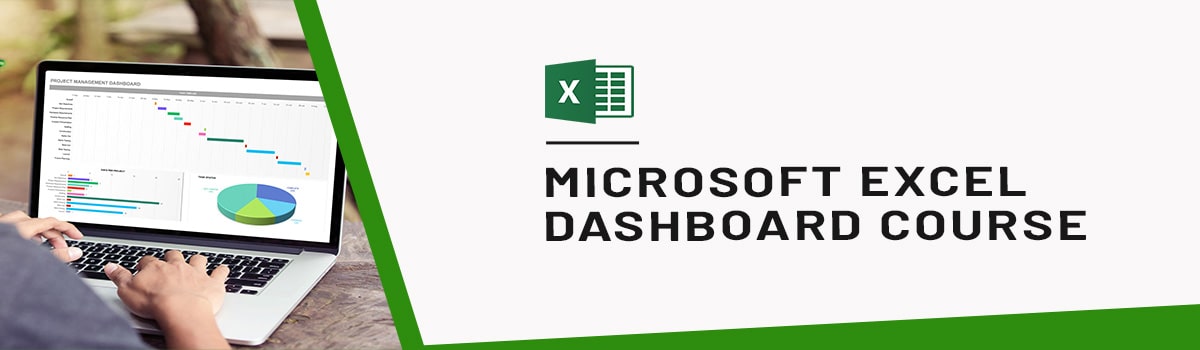
Microsoft Excel Dashboards Training Course
Master data visualization with our Microsoft Excel Dashboards Training Course. Learn to create interactive, dynamic dashboards for insightful reporting and smarter business decision-making. Ideal for professionals.
UTAP
Union Training Assistance Programme

Who Should Attend This Microsoft Excel Dashboard Training Singapore
Excel dashboard course is ideal for students who already have foundational knowledge and skills in Excel and wants to learn some of the higher-level functionality in Excel

Training Professionals

Business professionals

Entrepreneur

Students
Why Choose Us
- Hands-On Exercises
- Attention to each participants
- Interactive Class
- Step-By-Step Course
- 100% Satisfactory Record
- Trained more than 10000 Participants
- 20 Year Experienced Trainer
Do you invest your time to update your Excel reports Daily/Weekly/Monthly?
This course is designed for professionals who want to turn raw data into actionable insights. Whether you work in sales, HR, IT, or operations, knowing how to build and use Excel dashboards can make it easier to spot important trends and share useful information with decision-makers. It also helps you build on your basic Excel skills before moving into more focused dashboard techniques through an Excel Course in Singapore.
What You’ll Learn:
- Make sense of large datasets with advanced Excel tools
- Extract actionable insights for smarter business decisions
- Present data visually using interactive dashboards
- Track key metrics across departments (sales, HR, IT, etc.)
- Improve communication through clear, visual reports
- Support fast, data-driven decision-making
- Enhance productivity by automating data presentation
- Build dashboards that reveal trends at a glance
Course Objectives:
Upon successful completion of this course, you will be able to create dashboards in Microsoft Office Excel 2016. Specifically, you will be able to:
- Create advanced formulas.
- Automate workbook functionality.
- Apply conditional logic.
- Visualize data by using basic charts.
- Implement advanced charting techniques.
- Analyze data by using PivotTables, slicers, and PivotCharts.
Target Student:
This course is designed for students who already have foundational knowledge and skills in Excel and who wish to begin taking advantage of some of the higher-level functionality in Excel to summarize table data in Excel by using functions, charts, and pivot tables and display those elements in a dashboard format.
Prerequisites:
To ensure success, students should have some experience in creating workbooks with formulas and functions
Master Excel Dashboard Training Course Outlines:
Creating Advanced Formulas
- Use Range Names in Formulas
- Use Specialized Functions
Automating Workbook Functionality
- Apply Data Validation
- Work with Forms and Controls
Applying Conditional Logic
- Use Lookup Functions
- Combine Functions
Visualizing Data with Basic Charts
- Create Charts
- Modify and Format Charts
Advanced Charting Techniques
- Use Advanced Chart Features
- Create Sparklines
Analyzing Data with PivotTables, Slicers, and PivotCharts
- Create a PivotTable
- Analyze PivotTable Data
- Present Data with PivotCharts
- Filter Data by Using Slicers
Frequently Asked Questions (FAQ).
What will I learn in the Microsoft Excel Dashboards Training Course in Singapore?
In the Microsoft Excel Dashboards Training Course, you will learn to create dashboards using range names, specialized functions, lookup functions, combined functions, data validation, forms and controls, charts, advanced chart features, Sparklines, PivotTables, PivotCharts, and slicers.
Who should attend the Microsoft Excel Dashboards Training Course in Singapore?
The Microsoft Excel Dashboards Training Course is designed for students and professionals who already have foundational Excel knowledge and want to learn higher-level functionality for dashboard creation. You should have experience creating workbooks with formulas and functions.
Do I need prior Excel knowledge for the Microsoft Excel Dashboards Training Course?
Yes. The Microsoft Excel Dashboards Training Course requires foundational Excel knowledge, including experience creating workbooks with formulas and functions.
Does the Microsoft Excel Dashboards Training Course cover formulas and functions?
Yes. The Microsoft Excel Dashboards Training Course covers range names, specialized functions, lookup functions, and combined functions for building dashboard calculations.
Will I learn charts and dashboard visualizations in the Microsoft Excel Dashboards Training Course?
Yes. The Microsoft Excel Dashboards Training Course covers creating, modifying, and formatting charts, using advanced chart features, creating Sparklines, and building dashboard visualizations.
Does the Microsoft Excel Dashboards Training Course cover PivotTables and PivotCharts?
Yes. In the Microsoft Excel Dashboards Training Course, you will create PivotTables, analyze PivotTable data, present data with PivotCharts, and filter data using slicers.
Will I learn forms, controls, and data validation in the Microsoft Excel Dashboards Training Course?
Yes. The Microsoft Excel Dashboards Training Course covers applying data validation and working with forms and controls for dashboard interactivity.
How do I apply for the Microsoft Excel Dashboards Training Course in Singapore?
You can register for the Microsoft Excel Dashboards Training Course through the enrollment process on the course page. Course schedules and registration details are provided online.
 +65 8421 2824
 info@exceltraining.com.sg


 Chat With Us